Sell VPS on Proxmox VE
PNLCS sells KVM virtual machines and LXC containers on Proxmox VE. When an order is paid, the server is built from a template, sized, given an address and started — and the customer then runs it from the billing portal: power, live graphs, root password, reinstall, snapshots and backups. You see the same panel on the admin's service page.
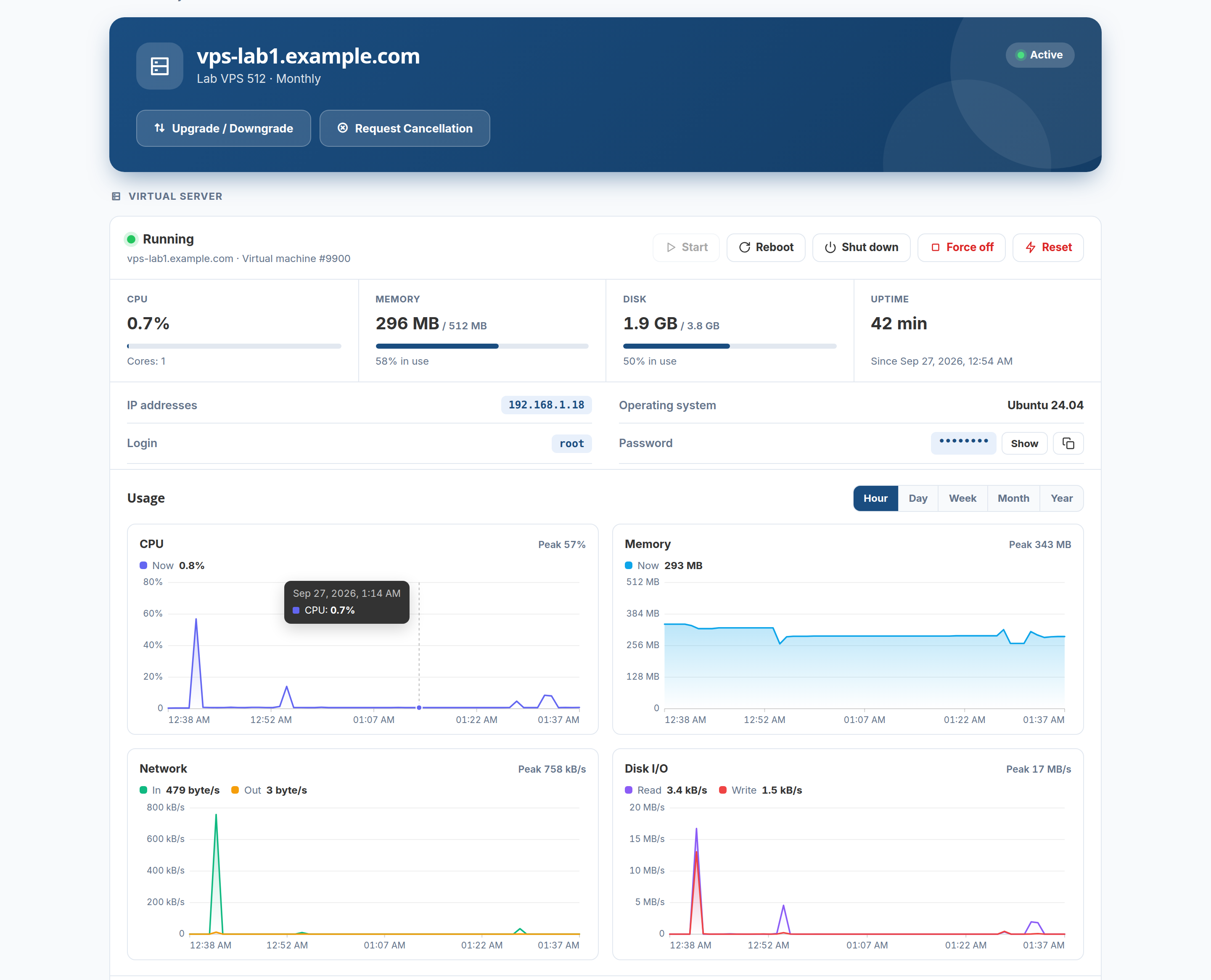
The module was tested end to end against a live Proxmox VE 9.1 host, through an API token that can reach only its own resource pool: templates installed from the admin panel, servers created from orders and by hand, reinstalled, snapshotted, backed up and restored, and signed into over SSH with the password PNLCS set.
How it fits together
flowchart LR
    A[Customer orders<br/>OS, memory, cores, disk] --> B[Invoice paid]
    B --> C[PNLCS clones the template<br/>into the pool]
    C --> D[cloud-init: password,<br/>address, disk size]
    D --> E[Server starts]
    E --> F[Customer panel:<br/>power, graphs, reinstall,<br/>snapshots, backups]
Every server PNLCS makes carries a tag and a note naming its service. PNLCS stops, reinstalls or deletes a machine only when that mark is there — a VM id in the billing records is never enough on its own — so the machines you run on the same host for other reasons are never touched.
Setting it up, step by step
| Step | What you do | Where | Time |
|---|---|---|---|
| 1 | Prepare Proxmox: a pool, a user, an API token and its permissions, the cloud-init snippet | Proxmox host shell | ~10 min, once |
| 2 | Connect the server and press Test | PNLCS → Setup → Servers | 2 min |
| 3 | Install operating systems from the image library | PNLCS → Servers → Images | 1 min per system |
| 4 | Create the product: resources, network, allowances, checkout options | PNLCS → Products | 5 min |
| 5 | Order it yourself once and check the customer's panel | Client area | 2 min |
After that: running VPS services (adding one by hand, suspending, upgrading, traffic) and troubleshooting and questions.
What you need
- Proxmox VE 8 or 9 (7.x works but is not tested; the check warns below 7). A single node or a cluster.
- A storage for disks (
local-lvm, ZFS, Ceph…) and a network bridge the servers go on (usuallyvmbr0). - A way to give addresses: DHCP on the bridge, or a range of public IPv4 addresses PNLCS hands out one per server.
- The PNLCS scheduler running every minute (cron runner): it finishes long jobs such as reinstalls and image downloads.
No nameservers are needed for Proxmox.