5. The customer's panel
A customer opens their service under Services and sees the virtual server panel. The admin's service page shows the same panel (Running VPS services).
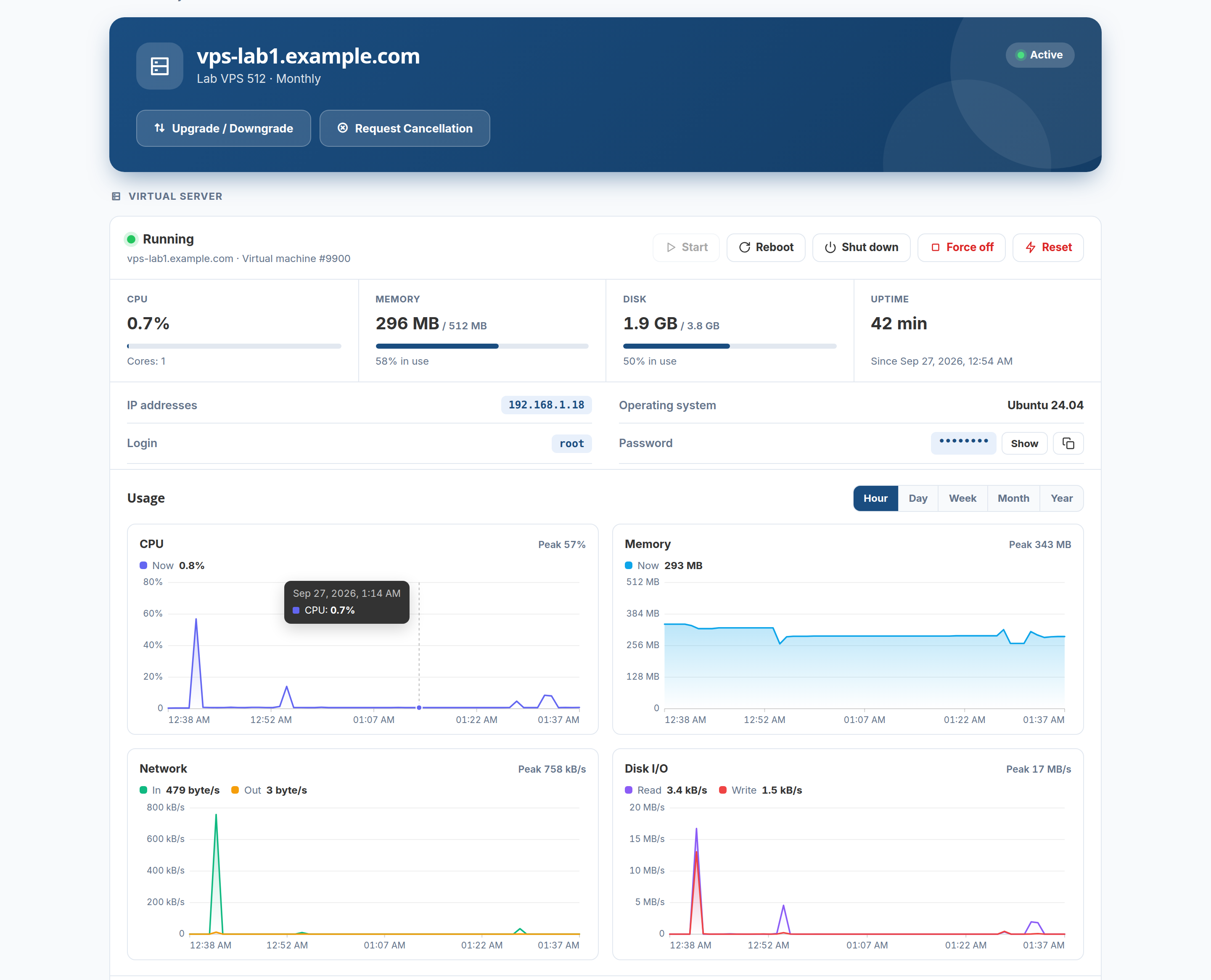
State, power and usage
- State — running or stopped, the server's name and VM number. While a reinstall or restore runs, a blue banner says so and the buttons wait.
- Start, Reboot, Shut down, Force off, Reset. Shut down asks the system to power off and forces it after a minute; Force off cuts it at once; Reset is the machine's reset button, for a server that has hung. Everything but Start asks first. On a container, Reset reboots it.
- CPU, Memory, Disk, Uptime — live. The disk shows how full the root filesystem is when the QEMU guest agent runs (the vendor snippet installs it); without the agent, only the disk's size.
- IP addresses (click to copy), operating system, login and password (show / copy).
Graphs
CPU, memory, network in/out and disk read/write, for the last hour, day, week, month or year, read from Proxmox's own statistics. Each graph has labelled axes, times along the bottom, the current value and the peak, and shows the exact values under the pointer. A period with no data stays a gap rather than dropping to zero.
Snapshots, backups, password, reinstall
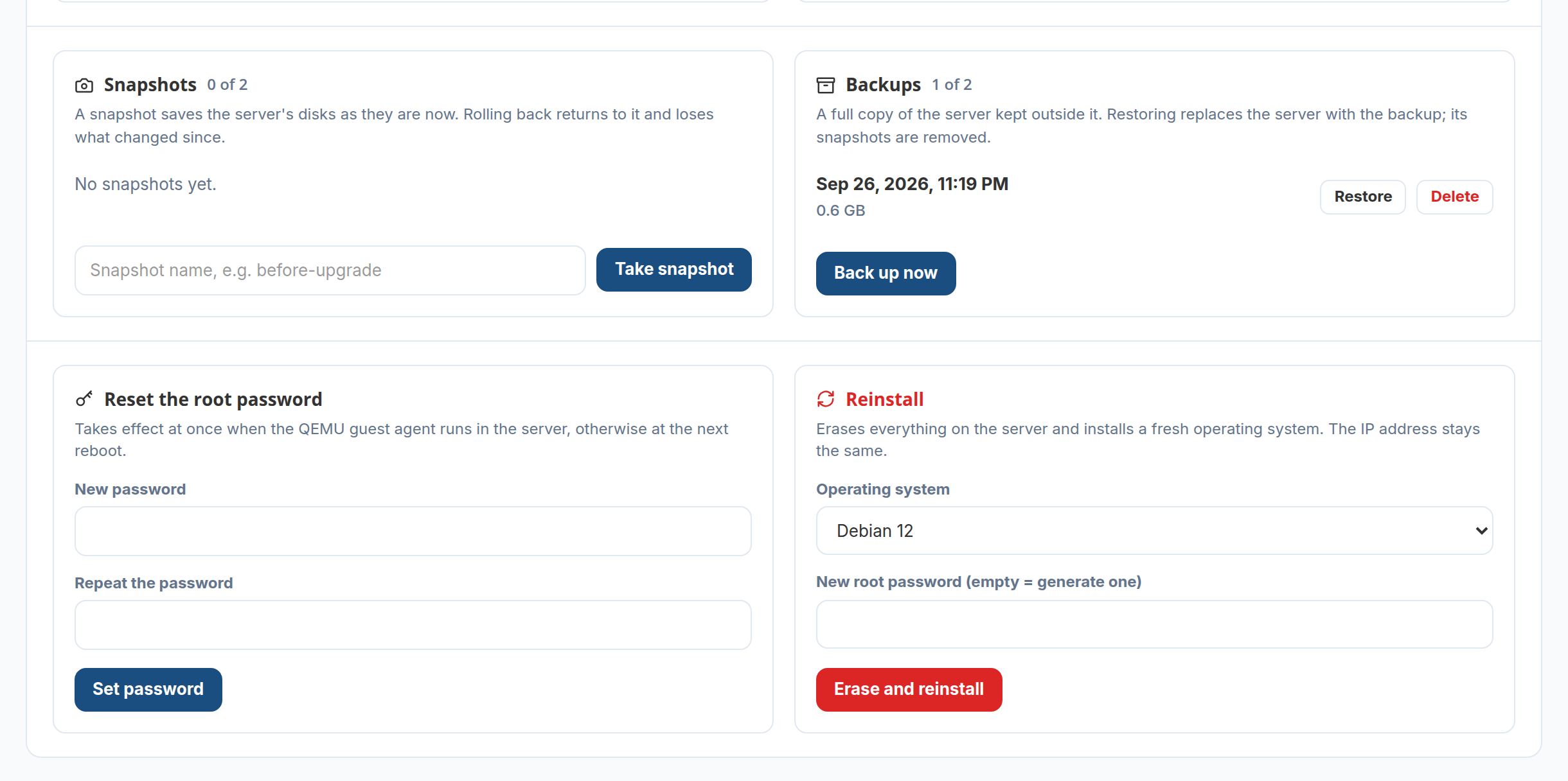
| What happens | |
|---|---|
| Snapshots | Take a snapshot by name, roll back to it, delete it — up to the number the product allows. Rolling back starts the server again if it was running |
| Backups | Back up now makes a full copy on the server's backup storage; Restore replaces the server with it and removes its snapshots; Delete. Up to the number the product allows, and one backup at a time |
| Reset the root password | Takes effect at once through the guest agent; without the agent, at the next boot. (Not offered for containers.) |
| Reinstall | Erases the server and installs a system from the product's list. The VM number, the MAC address and the IP address stay the same; a new password is set (typed, or generated and shown once) |
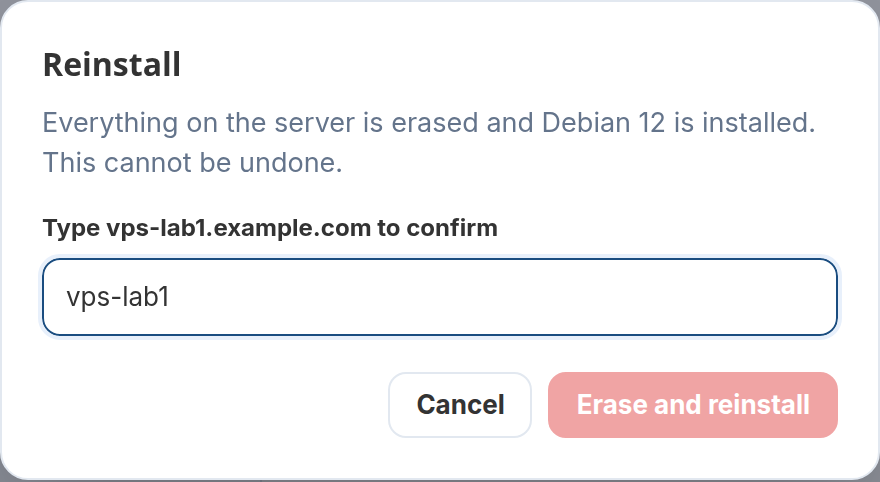
Anything that wipes data asks for the server's name first:
What the customer does not see
The customer is not shown the Proxmox host's name or address, or any other machine on it. Every request the panel makes is checked against the service it belongs to; a customer can only reach their own server, and only while the service is active — a suspended customer can still look, but not switch the server back on.
Next: running VPS services.